
Upgrading to a new iPhone is like getting a shiny new toy, but the thought of transferring all your data can feel like a daunting task. Fear not! Migrating from one iPhone to another doesn’t have to be a tech nightmare. With a few simple steps, you can seamlessly move everything from your old device to the new one, leaving you more time to explore all those cool features.
Why Migrate to a New iPhone
Upgrading to a new iPhone significantly enhances the user experience. New models often feature improved hardware, including faster processors and better cameras. Enhanced battery life offers more usability throughout the day, reducing the frequency of charging.
Transferring data simplifies the transition to a new device. Users can retain essential items like contacts, photos, apps, and messages in a matter of minutes. Enjoyment of new features starts immediately after migration is complete.
Security improvements also come with each iPhone update. Newer devices incorporate advanced security features, providing better protection against potential threats. Staying updated with the latest software ensures access to the newest security enhancements.
Accessing fresh software updates becomes more efficient on a new model. Apple frequently releases updates designed to optimize performance and user experience. The latest devices generally receive these updates for a more extended period compared to older models.
Smoother performance is a primary benefit of upgrading. New iPhones typically run on the latest iOS, which introduces enhancements that improve speed and responsiveness. Enjoying a lag-free experience makes daily tasks more manageable.
Increased storage options allow for more apps, photos, and files. Many recent models offer larger storage capacities, accommodating more data without losing performance. This feature aligns well with users who frequently download media and applications.
Connectivity enhancements, like 5G capabilities, provide faster internet speeds. Users can experience quicker downloads and streaming with a new iPhone. This advancement in connectivity supports modern demands, making the device an essential tool for daily life.
Choosing to migrate to a new iPhone provides a broad array of benefits which enhance user satisfaction, performance, and security.
Preparing for the Migration Process
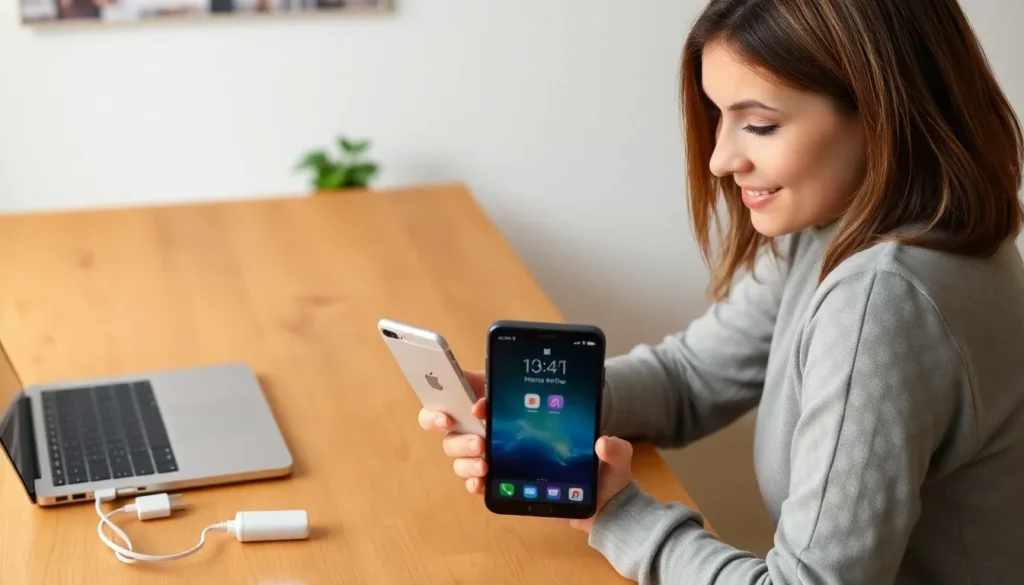
Preparing for the migration process involves a few essential steps to ensure a smooth transition to a new iPhone.
Backing Up Your Old iPhone
Backing up the old iPhone is the first crucial step for a successful migration. Users can utilize iCloud for an easy backup by going to Settings, tapping on their name, selecting iCloud, and then choosing Backup Now. Alternatively, connecting the old iPhone to a computer and using iTunes or Finder allows for manual backup. Confirming the backup is complete helps prevent data loss during the transition. After that, accessing the backup on the new iPhone ensures everything transfers seamlessly. Regular backups keep data up-to-date and safe.
Ensuring Compatibility with Your New iPhone
Ensuring compatibility with the new iPhone simplifies the transition. Checking the iOS version on both devices is vital. The new iPhone should run the latest software to support all features. Users can also verify that apps on the old iPhone are available on the new model, particularly those with different hardware capabilities. Confirming compatibility of accessories, such as cases and chargers, further enhances the user experience. Opting for models that support existing technologies ensures a better integration of features and apps.
The Migration Process
Migrating data from an old iPhone to a new one involves straightforward steps that simplify the transition.
Using Quick Start
Quick Start allows users to set up their new iPhone using the old device. To activate this feature, both iPhones must be powered on and within proximity. The screen on the new iPhone displays an animation, prompting users to place the old iPhone nearby. Scanning the animation with the old device transfers crucial information automatically. This method effectively migrates data like photos, contacts, and app settings with minimal effort.
Manual Migration Steps
For those preferring manual migration, several steps ensure a thorough data transfer. First, users should back up the old iPhone using iCloud or by connecting it to a computer with iTunes or Finder. Once the backup completes, turning on the new iPhone reveals setup prompts. Users can select “Restore from iCloud Backup” or “Restore from iTunes Backup” to initiate the process. This method allows users to review which data to transfer and guarantees nothing essential is overlooked during the migration.
Post-Migration Steps
After migrating to a new iPhone, users should verify that all data transferred correctly. Check for essential information like contacts, photos, messages, and app data. Open critical applications to confirm their functionality. Users can find settings under their Apple ID to see if all iCloud data is synchronized. This step ensures that nothing was missed during the transfer process.
Verifying Data Transfer
Verifying the data transfer enhances peace of mind. Start by reviewing contacts to ensure they’re all present. Open the Photos app to check for images and videos. Messages should also appear, reflecting the latest conversations. Explore app settings to confirm that preferred configurations are intact. This process allows users to address any discrepancies, ensuring a complete transition.
Setting Up Apple Services
Setting up Apple services plays a crucial role in maximizing the new iPhone’s potential. Users should sign in to their Apple ID to access purchased apps, music, and other iCloud services. Activate features like Find My iPhone to enhance security. Consider enabling iCloud Backup for future data protection. Users can also link devices through Apple services like Family Sharing to ensure consistency across multiple products. This setup supports seamless functionality and enhances the overall experience.
Troubleshooting Common Migration Issues
Migration issues can arise during the transition to a new iPhone. Users may encounter problems related to connectivity, data transfer, or app compatibility. Identifying the root of these issues quickly can save time and prevent frustration.
Connectivity problems often stem from Bluetooth or Wi-Fi connectivity issues. Users should ensure both devices are connected to a stable Wi-Fi network. Restarting the old iPhone and the new iPhone can reset connections effectively.
Data transfer interruptions may occur if the migration process is not completed properly. Users should check if the Quick Start feature is functioning correctly. If the process does not initiate, manually restarting both devices might help.
App compatibility can present challenges, especially if older apps don’t support the latest iOS version. Users should review the App Store for required updates on the new iPhone. Redownloading apps from the App Store ensures the latest versions are installed.
Errors during data verification can also happen. Users should verify essential data, like contacts and photos, by checking settings. Enabling iCloud synchronization can streamline this process, ensuring that all data is up to date.
Battery life issues can surface during migration as well. Keeping both devices charged above 50% minimizes interruptions during the transfer. Using a charger on both devices throughout the process aids in maintaining adequate power.
Lastly, consulting Apple Support provides valuable insights for persistent issues. The support site offers troubleshooting guides that address specific migration complications. Utilizing these resources helps users gain confidence during their transition to a new iPhone.
Migrating to a new iPhone doesn’t have to be daunting. By following the outlined steps users can enjoy a seamless transition while retaining their important data. The benefits of upgrading are numerous from enhanced performance to improved security features.
Verifying that all data has transferred correctly ensures users won’t miss any crucial information. Troubleshooting common issues can further smooth the process allowing everyone to focus on exploring the exciting features of their new device. Embracing this upgrade not only enhances daily tasks but also provides peace of mind with the latest technology at their fingertips.